
Unseen Garden
Unseen Garden is a personal 3D animation series which is about flowers and insects, they are currently on sale on Superrare. While we’re not watching, bees are waking up for work from their honey dreams, snails are fascinated by water drops shining like jewellery, and fireflies use flowers to charge their lights. Making a world unseen from our eyes is one of my passions for creation.
Sunny Garden
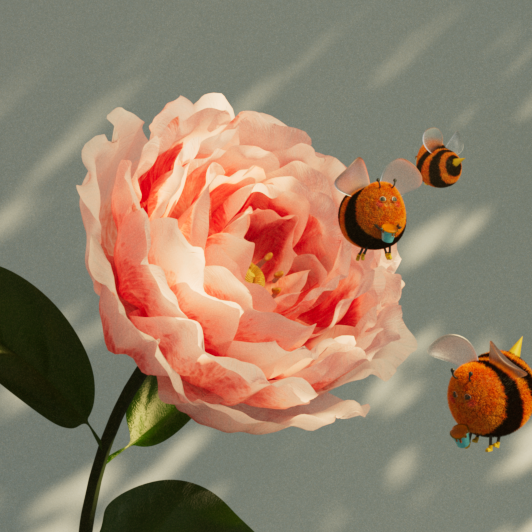
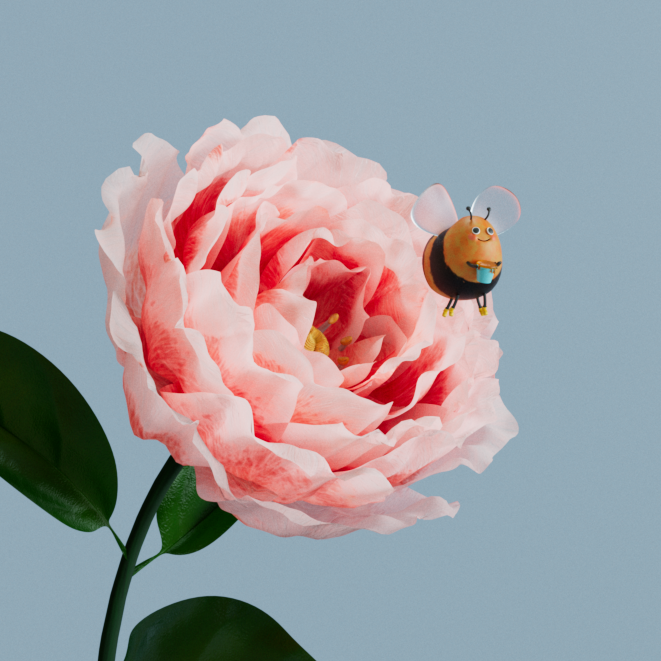
The Sunny Garden is the first work I created for this series. I came up with this idea from looking at a catalogue from the rose breeding specialist, David Austin. It’s about a rose and a happy sleepy bee on a Monday morning.
Night Garden
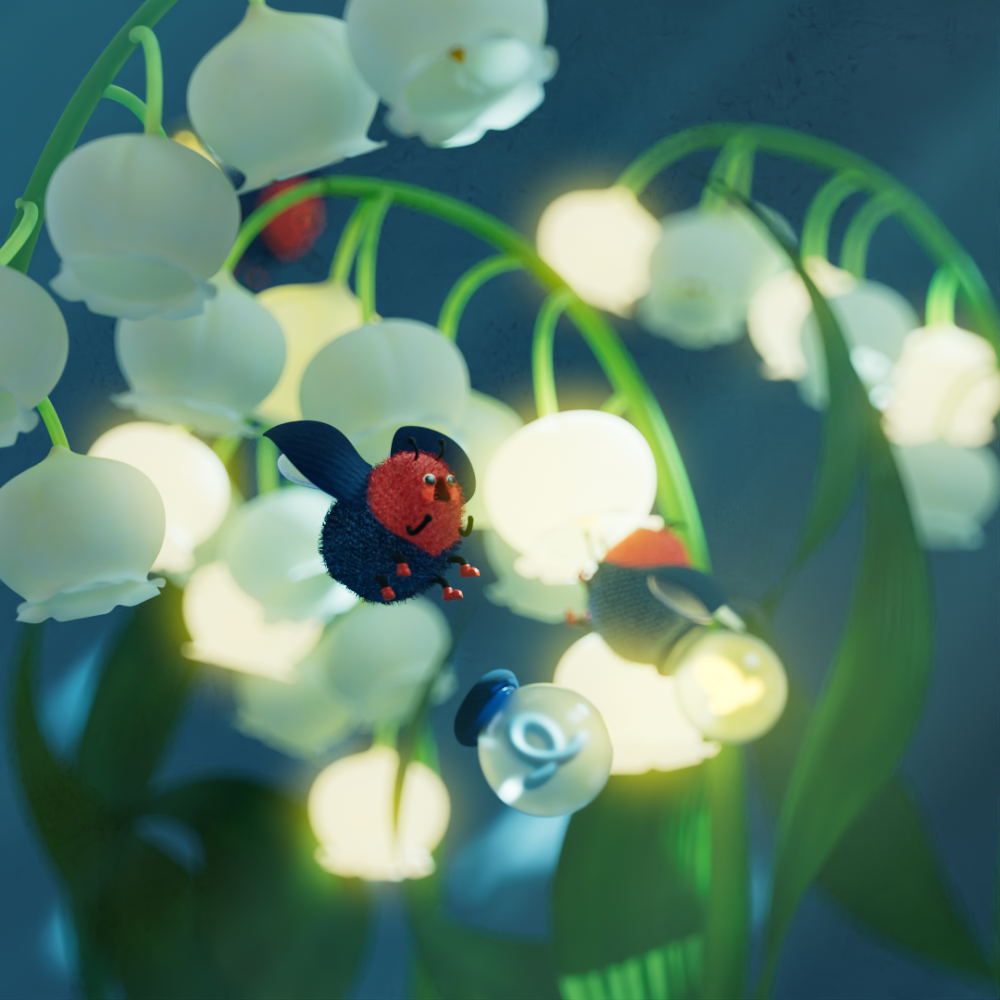
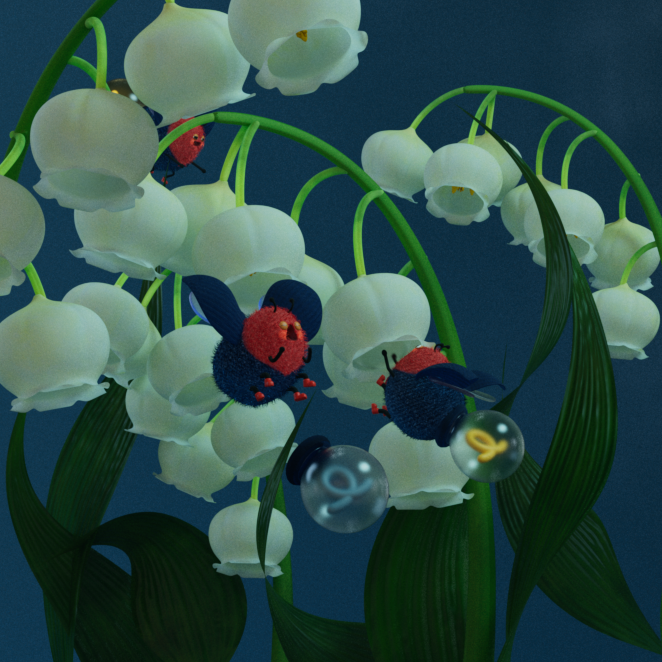
Night Garden is about a snowdrop and fireflies. I grew up in the countryside in Japan and during the summer season, I could see lots of fireflies in the rice fields. I came up with the idea of fireflies charging their lights from flowers which look like lampshades.
Rainy Garden
I came up with this idea in June, which is the rainy season in Japan. During this season, you can see the colourful hydrangeas and lots of snails too. I also wanted to create something with a different type of animal from the other two artworks, so this idea worked perfectly.
Making Article
I collaborated with Garagefarm.net and edited a ‘making of’ article on this project. The Japanese version of this article is now available to read on 3dtotal.jp and English version is currently available on my Behance page. In this article, I wrote about my creative thinking process, how I modelled the flowers and insects using Cinema4D and Zbrush. Then I wrote the process of rigging, animating and lighting with animatics, screen captures from Cinema4D.
It was also a great opportunity for me to learn how to make a documentation of my projects. Sharing the process is not easy but I’d like to try it more!

Making of Sunny Garden
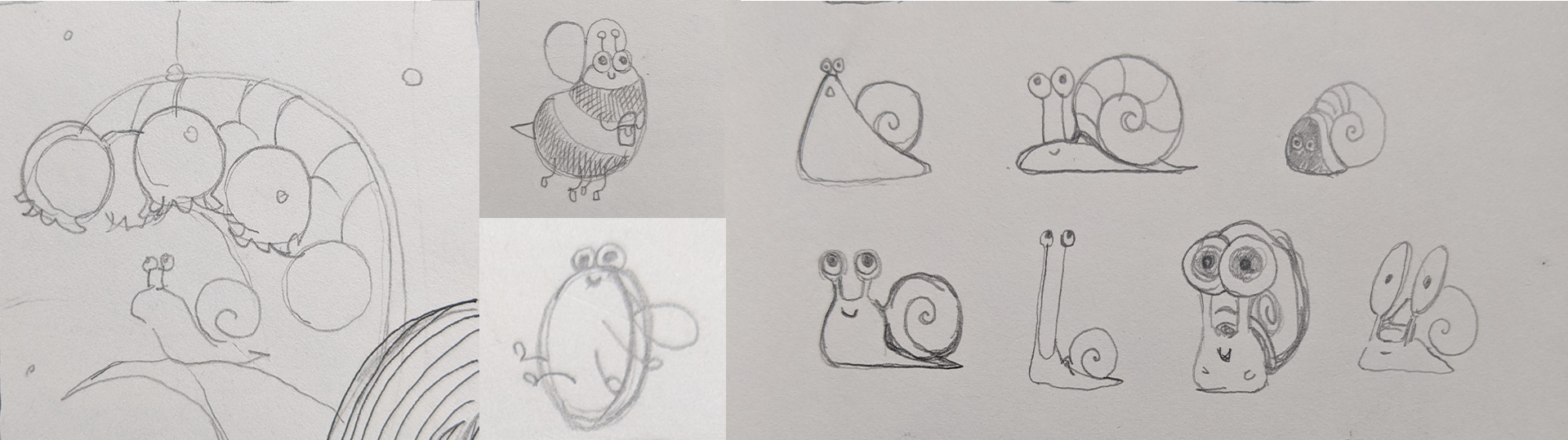
At the beginning of the production of Unseen Garden, I had a very rough idea of what I wanted to do, one insect and one flower per artwork; perfectly looping animation; and very ambient sound effects. Based on that plan, I made ideas for 3 animations. Bee and rose, firefly and snowdrop, and snail and hydrangea.
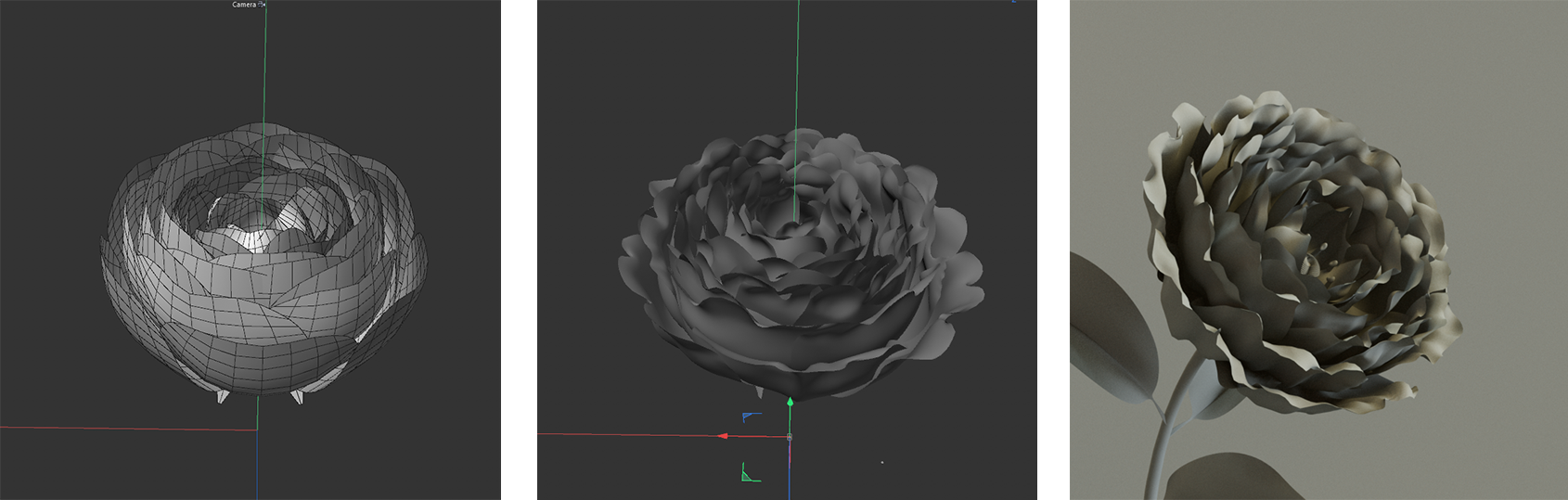
I modelled the rose petal from a simple plane and used the cloner tool to make the flower shape. I made each petal editable and exported the .fbx file into Zbrush.
I added organic details to each petal to make the flower look more organic and realistic. Here are models made with C4D (left) and the model with details (right)
This chubby bee model is very simple.
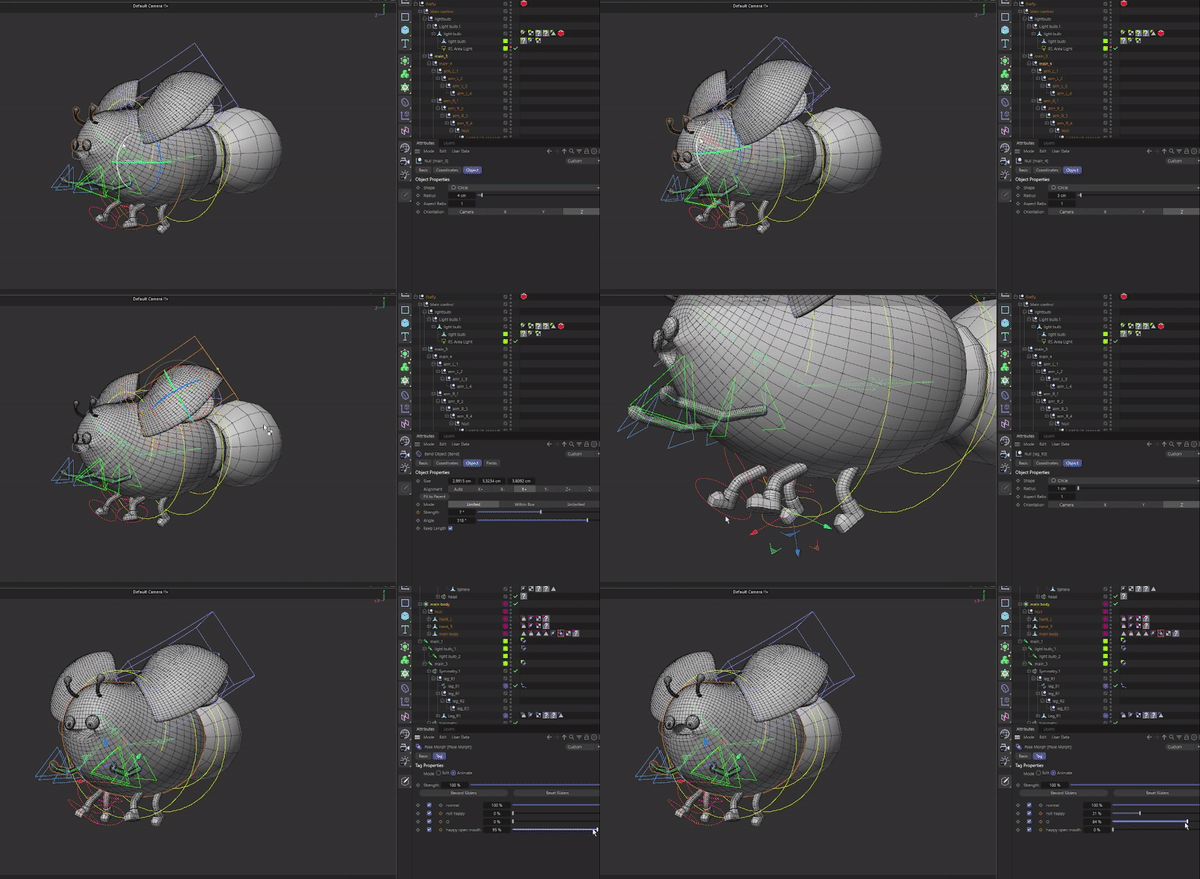
I made the model from a cube and subdivided it to make a nice rounded shape, I modelled arms, legs and eyes separately.
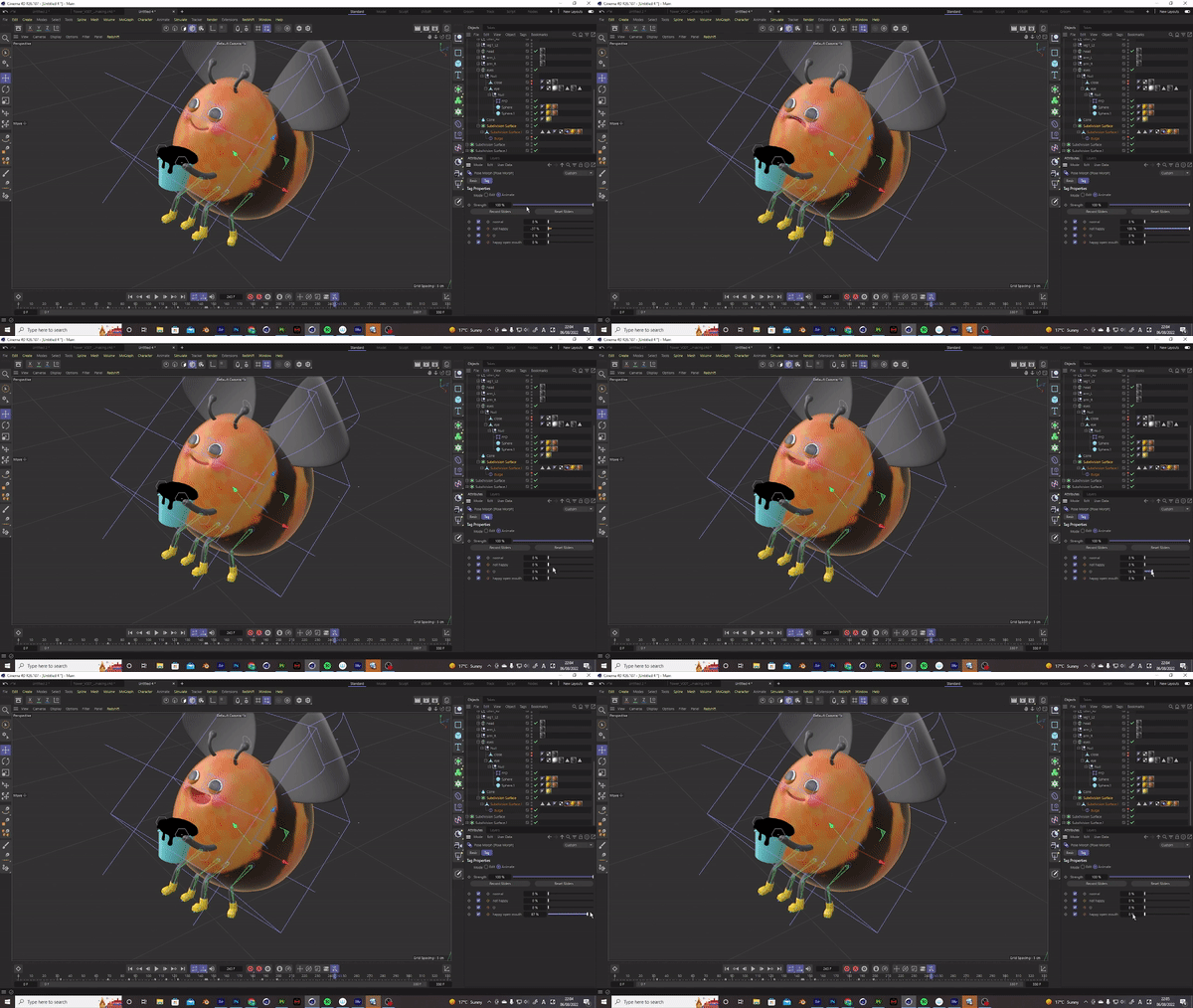
This bee’s animation was also very simple, I rigged their legs with bones and used the bend deformer and Squash & Stretch tool to control the whole body.
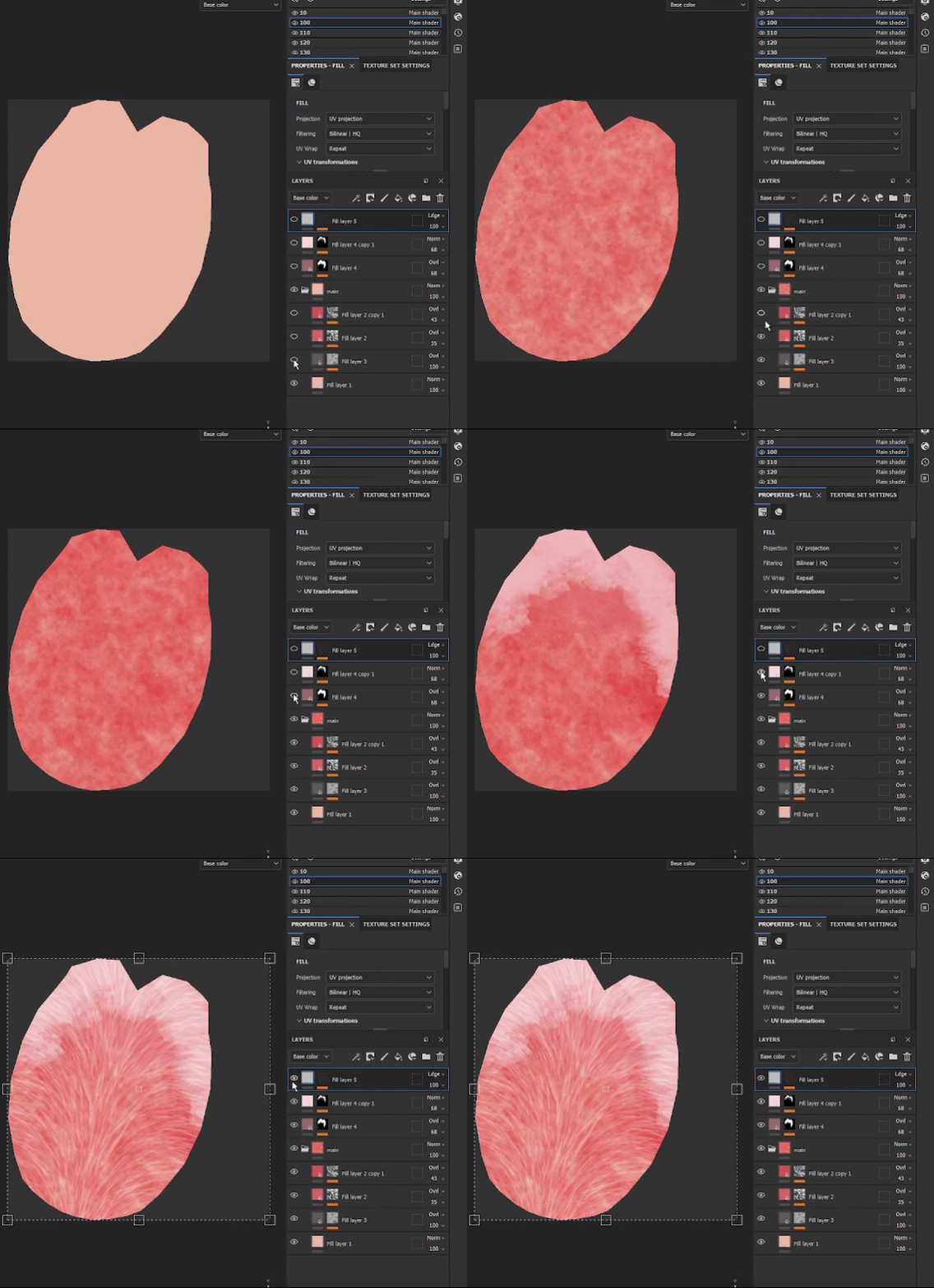
Once I finished modelling, I made UV maps and created materials with Substance painter.
I wanted to make a stylised, warm, hand painted look. So I added layers of several colours with noise masks to create a painted feel and added some more layers. I painted using brushes on top of it.
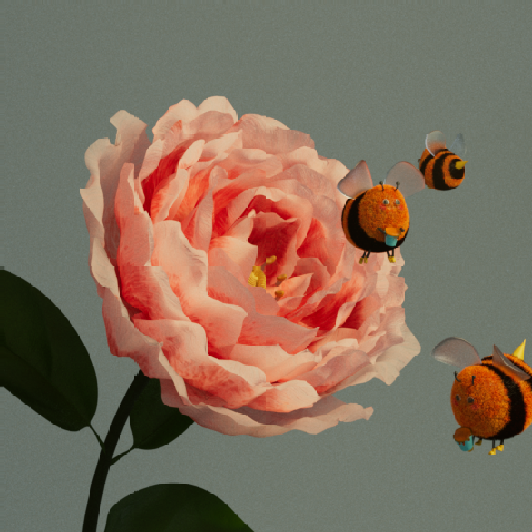
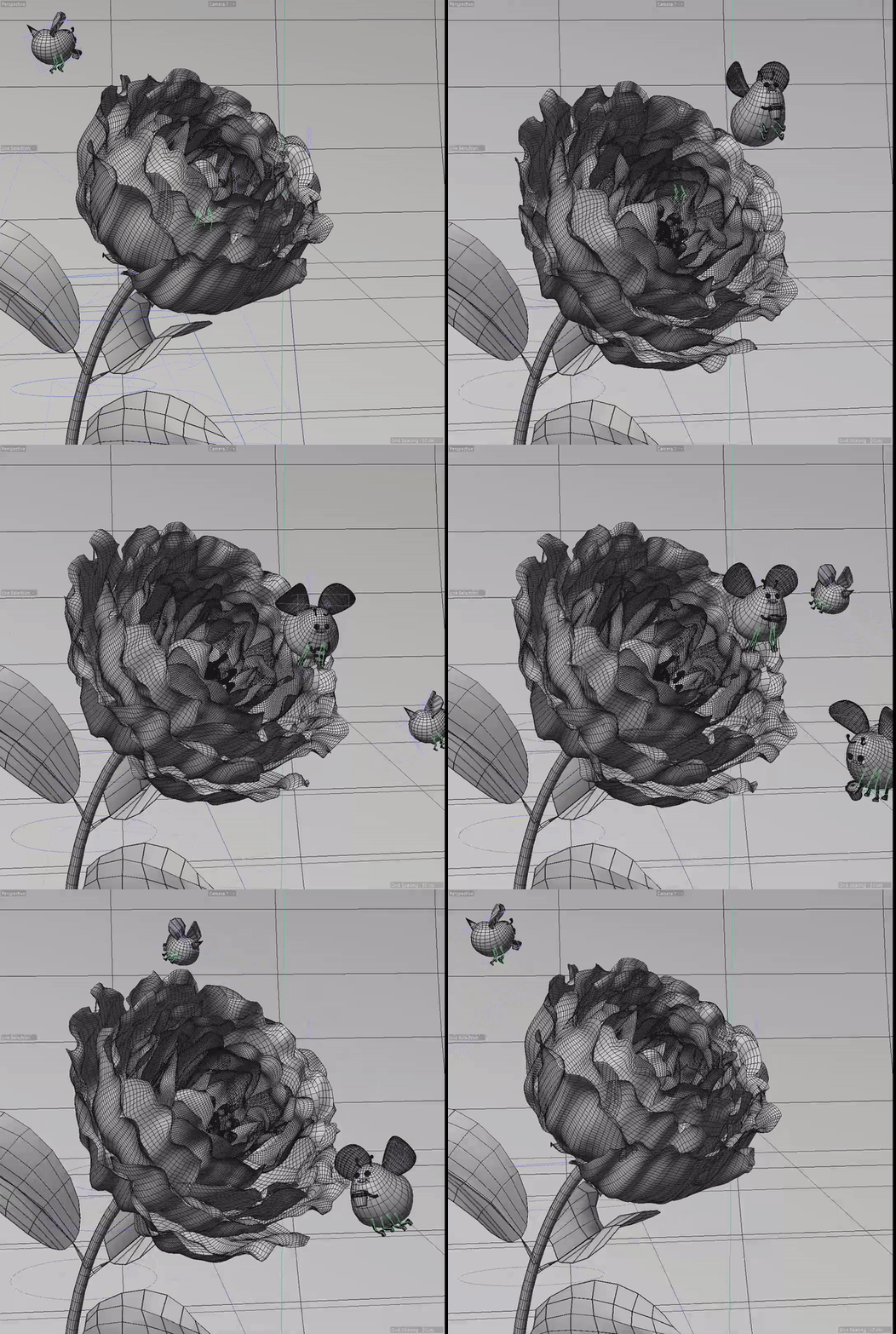
It’s important to plan out the timing of animation before adding keyframes, especially when creating a loop animation. For the main bee in the centre, I carefully positioned it so it is completely hidden inside the flower in the first frame and he appears naturally after that.
I added some bees around the flower and added a subtle animation on the leafs too. These small animated elements add naturalness and vibrancy to the whole animation.
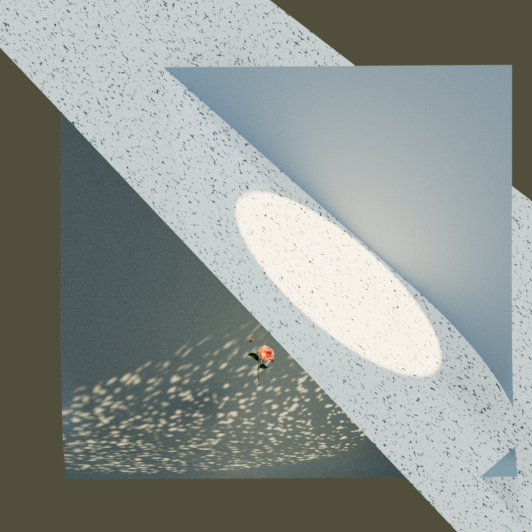
For the whole scene lighting, I used HDRI from Polyheaven (https://polyhaven.com/hdris) and added a quite subtle key light, top light, and backlight.
Then, I added a light to mimic sunlight coming through leaves and trees, to add some interesting shadows.
(the centre image is with HDRI, and right image is with sun light)
Making of Night Garden
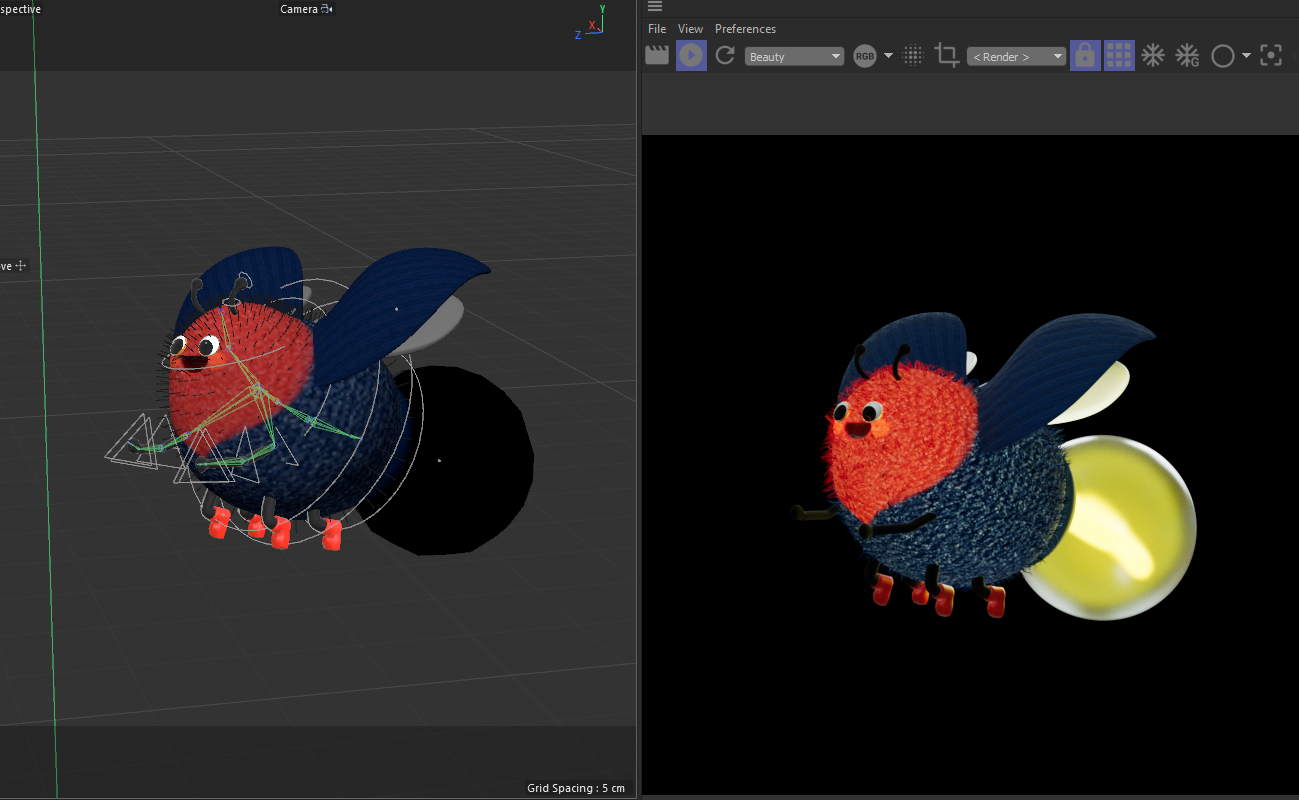
For the firefly I re-used the bee model and just altered some body parts. I added new wings and a big lightbulb on their backside. For rigging, because I was planning to create a more complicated animation compared to the bees, I needed to rig them using bones instead of using deformers.
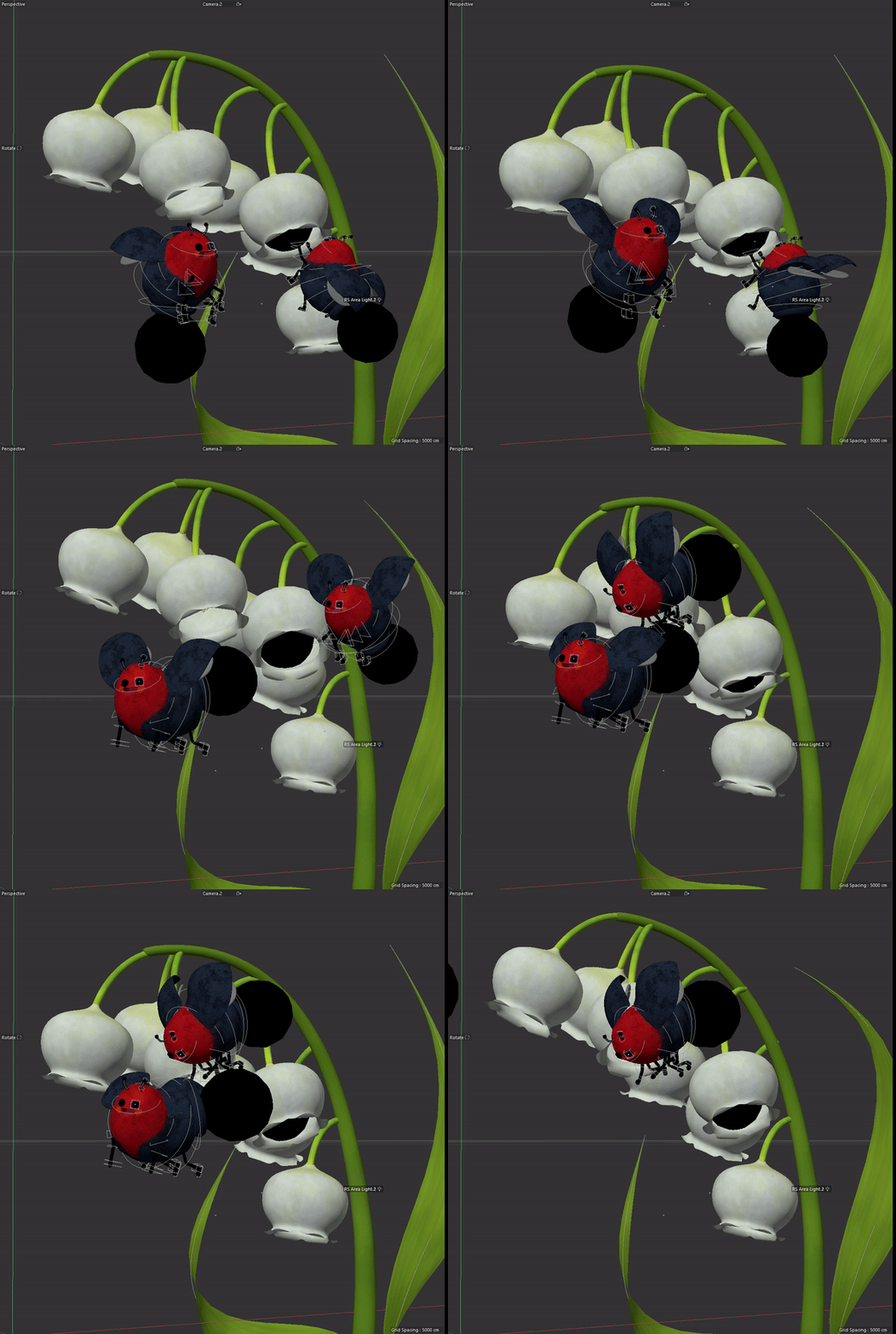
The animation process was a bit harder than Sunny Garden because of the complexity. I animated the main two fireflies first, then added the light bulb animation using the constrain tag attached to the flower, then to the firefly’s hands, and finally to the other fireflies’ backside.
Lighting was a bit tricky for this animation because it’s a night scene, but there are lots of light sources from the light bulbs and the flowers. To maintain consistency throughout the series, I used the same HDRI and similar lighting setup as “Sunny Garden” for the environment, and adjusted the brightness and colour. Then I added the emitting material and area light to each light bulb and shining flower.
Making of Rainy Garden
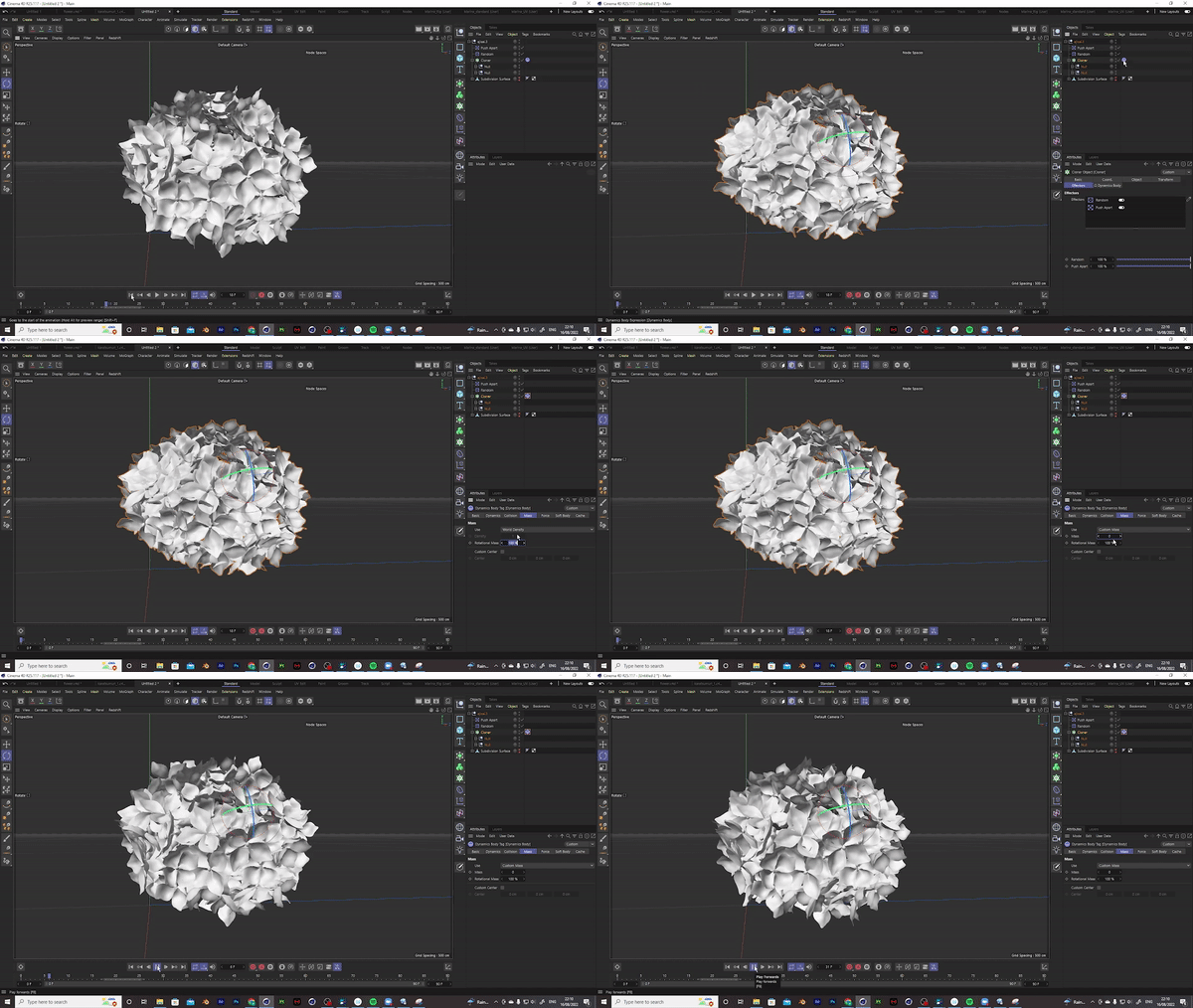
First thing I created was hydrangea. I made two sets of flowers with slightly different shapes. I used the Cloner tool and positioned about 150 flowers to gather around a rounded shape. I adjusted the position of flowers using Random and Push apart.
It already looked okay but some flowers were intersecting a lot, so I added the Rigid body tag to the cloner and from the force setting, I set the following position and rotation parameter to 12. I also set the Mass setting to custom Mass and changed the parameter to 0 so these flowers won’t look droopy. Now once I play the animation, the flowers spread and intersect with each other less. Once I was happy with the position of the flowers, I set the initial state and removed the Rigid body tag, so the flowers won’t move anymore.
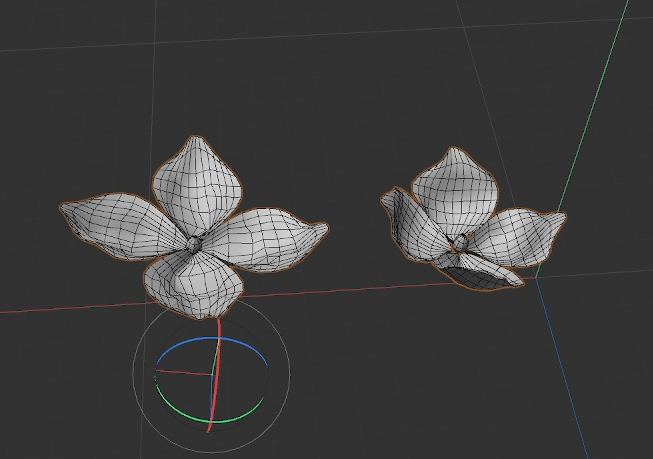
I modelled the snail with Blender. The reason I used Blender was that I wanted to sculpt this snail rather than box model it, and Blender has a great Dynamic Remeshing tool which works like the dynamic tool in Zbrush and yes, it’s free! After sculpting the snail model, I used an awesome plugin called Quad Remesher and retopologized the model. Quad Remesher is a paid plugin but it’s by far the better retopologizing tool compared to the free ones. I still like to retopologize my models manually, especially when I create a humanoid model, but it’s a very handy tool to use and I can save a lot of time using this plugin. I definitely recommend it. Sculpting is a very intuitive way of modelling and you can experiment with your ideas more during the modelling process compared to box modelling.
After that, I imported the snail model into C4D. I’d love to learn how to rig and animate with Blender in the future, but for now, I keep using C4D for rigging and animating.
This is the rigged version of the snail.
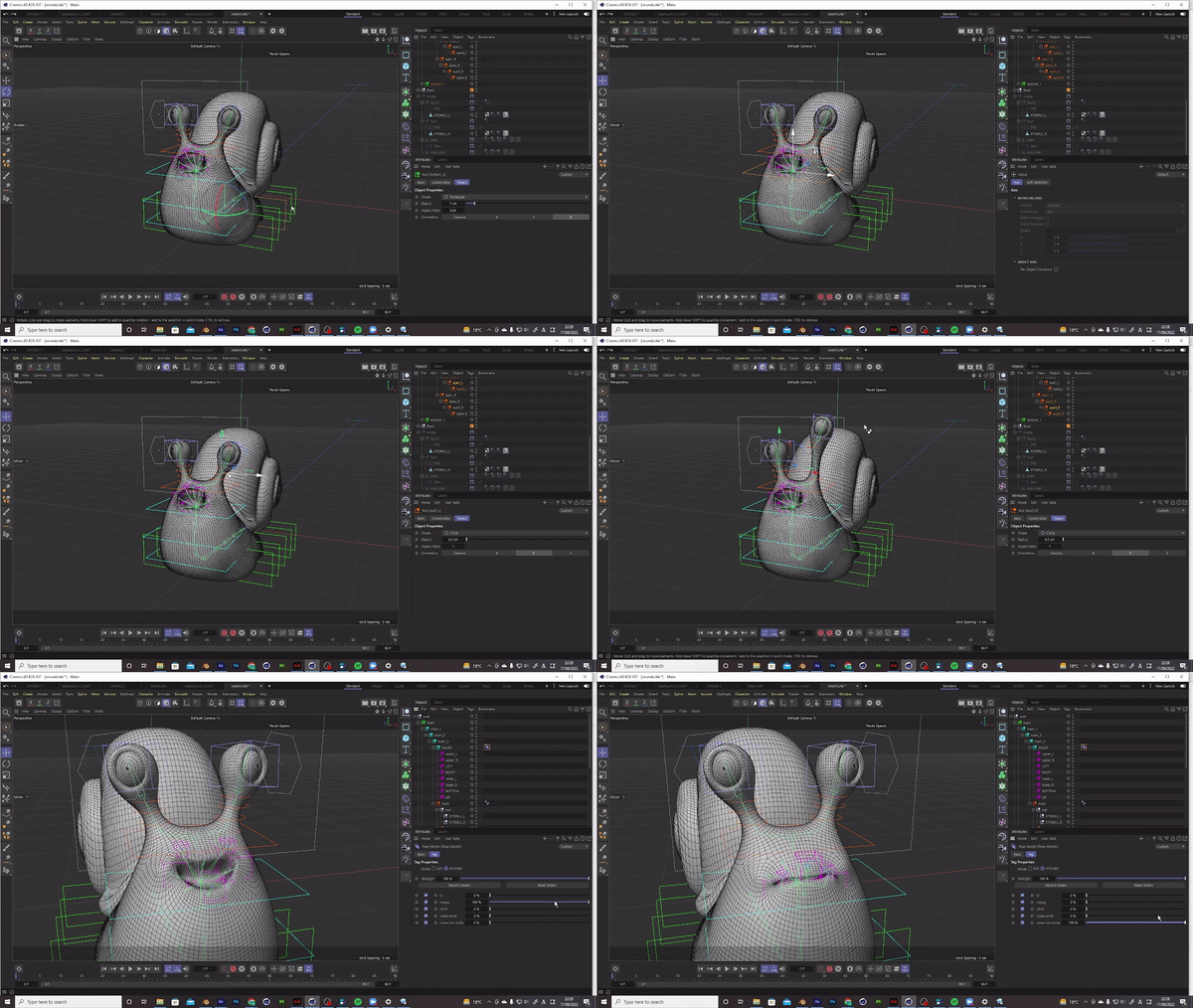
I animated the flower and raindrops first then animated the snails reacting to them.
Here is the first animatic of the raindrop falling onto the leaf, sliding off the leaf and dropping
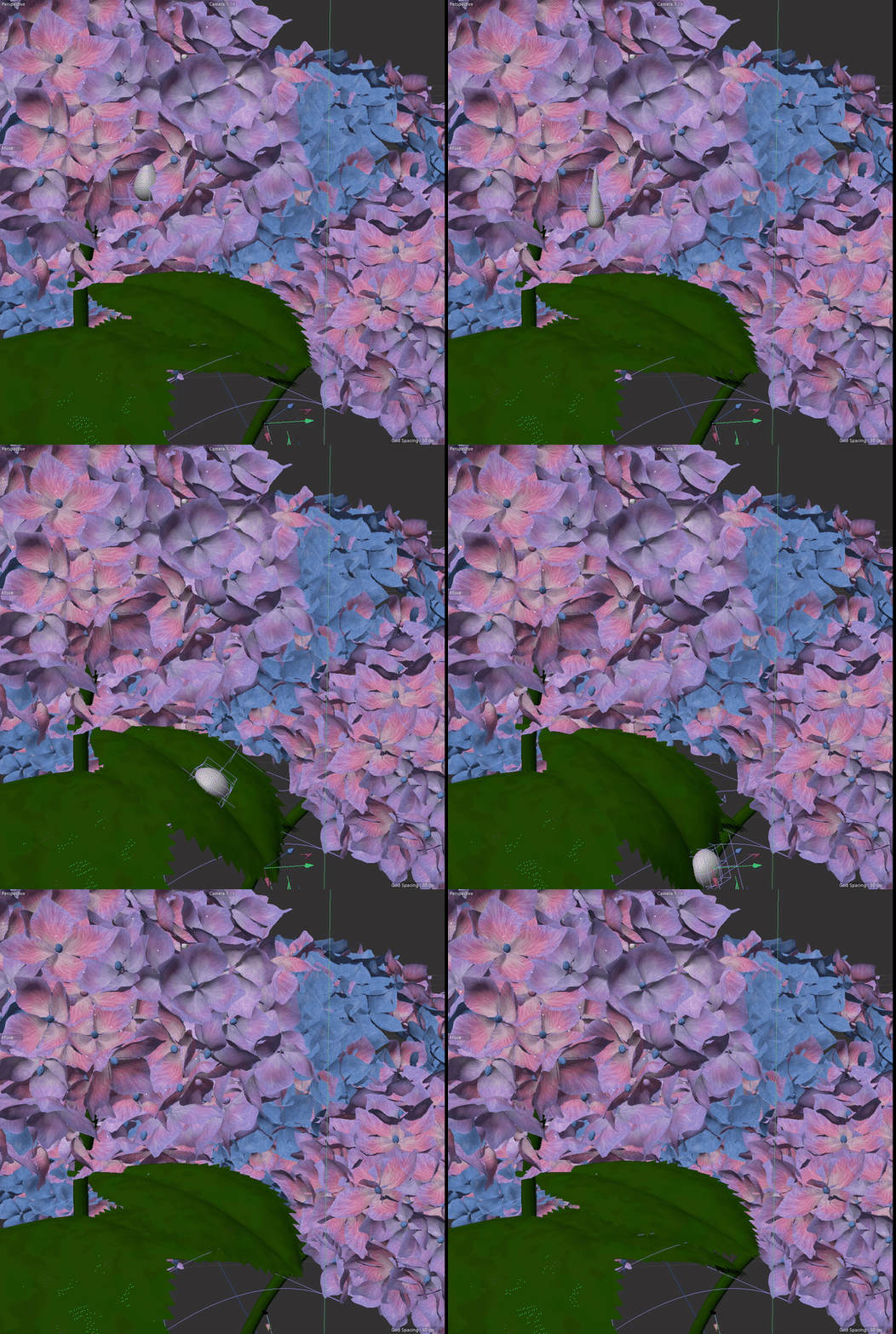
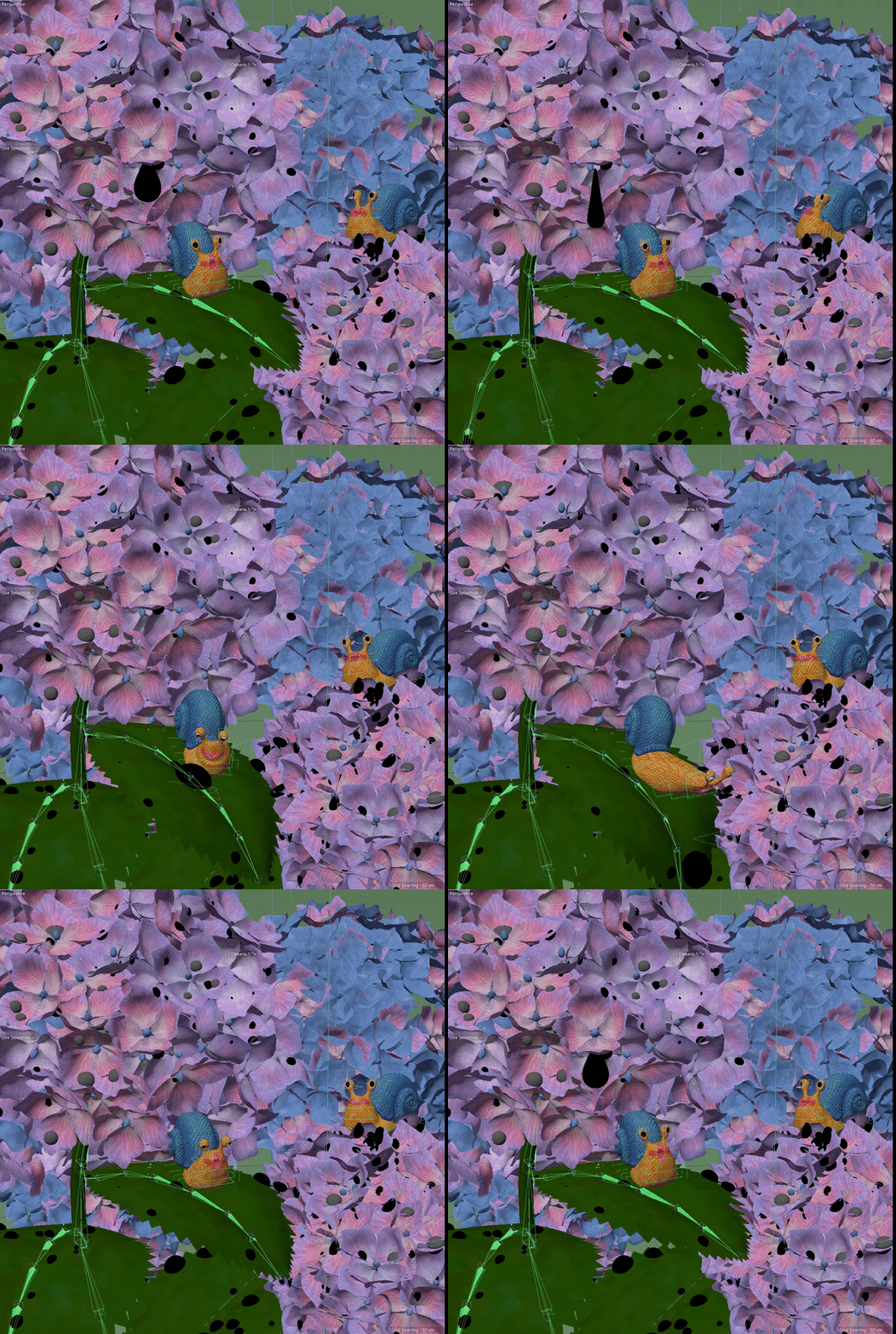
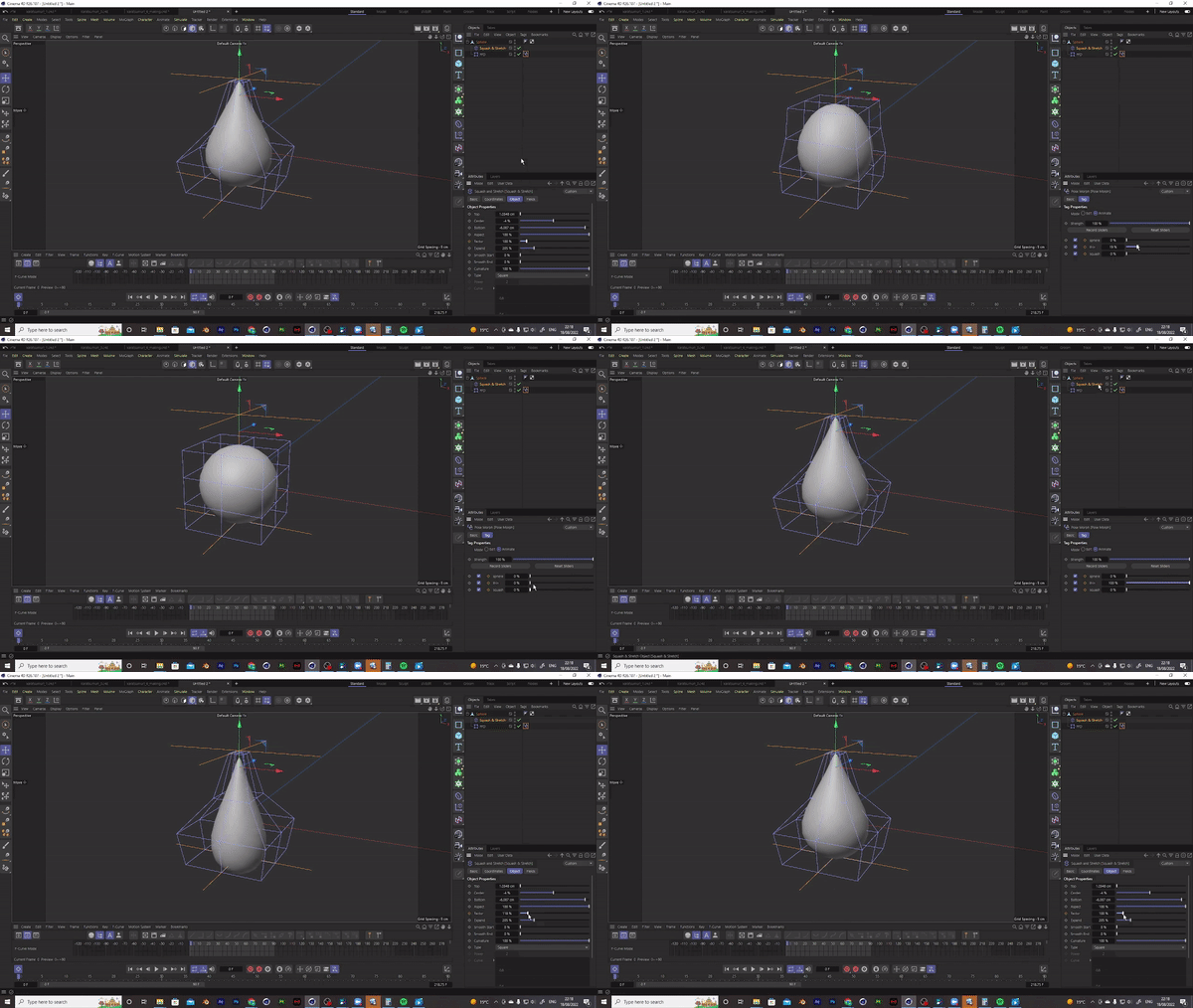
The water drop animation is made from a simple sphere to which I added the Squash & Stretch and FFD deformer. Then I set the pose morph tag to ‘FFD Deformer’ to morph this sphere from a droplet shape to a flattened water drop.
Credit
Direction / modelling / texturing / lighting / animation / composite : Marina Nakagawa
Sound design: Giorgio Riolo (SAVETHESOUND)
Software
C4D
Zbrush
Blender
After Effect
Substance Painter